
Blog ·
Can You Play GTA VI While Waiting for PC? Yes, With a Supported Console.
Choose among current console play, confirmed streaming options and following the native PC release or research projects.
A supported PS5 or Xbox Series X|S can play GTA VI today. Remote Play can show a console session on a supported client, and the title’s launch Xbox cloud support names eligible Xbox consoles. If you specifically need a native Windows install, the remaining step is to wait for a publisher announcement or track distinctly labeled research updates.
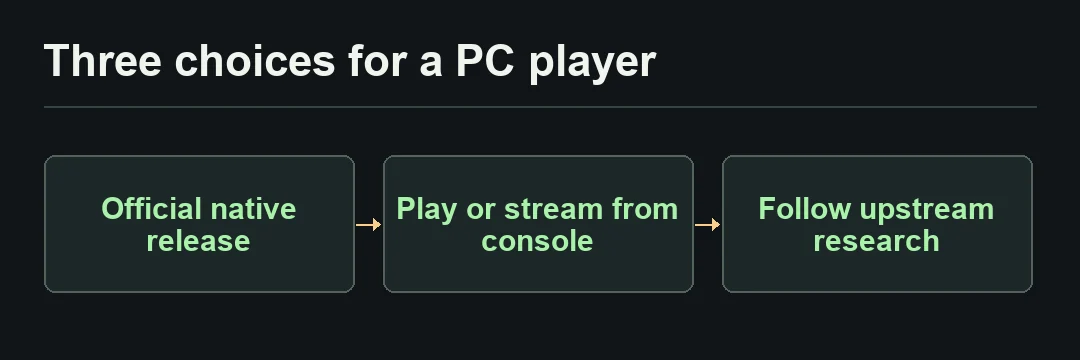
Path one: play the published console edition
If you already have a current supported console and want the game now, the publisher’s launch listing gives the straightforward option. Check that the store offer corresponds to the exact hardware generation and account you use. A Series S is included in Xbox Series X|S. An Xbox One S is an older model and belongs to the cloud client discussion. Read the region and edition information if you are comparing code-in-box and digital offerings.
For a console you already own, it can help to check available storage, verify access to your account and read the publisher’s installation instructions. This answer stays grounded in the existing console build and its support. A separate Windows listing, if announced, could later have its own pricing, account and entitlement details. Buying a console edition does not by itself establish a transferable Windows entitlement or a future cross-save promise.
If you want to make comparisons, compare the original signal from the console with the settings described by the publisher. A captured screenshot can have a different resolution or compression level than local output. Testing the console itself gives a useful baseline before deciding whether a stream works for your setup. For the Series S question specifically, the Series S field note explains the launch target and the difference between the modes.
Path two: stream the console session where supported
Choose the streaming method by the machine that executes the game. With Remote Play, your own console runs it and your client sends input and receives a video stream. Rockstar confirms support for the title. Follow the platform holder’s requirements for configuring that console and client. You can start with a known stable local console session and only then compare a stream. This gives you a way to separate a title problem from a connectivity problem.
Xbox Cloud Gaming is a different service. Xbox Wire’s GTA VI announcement describes launch support for Xbox Series X|S and Xbox One consoles. The compatible device list matters even if the broader service works in a PC browser for other titles. Typical cloud eligibility questions include whether you own the game, whether your plan or cloud playtime applies, and whether the service is available in your region. Check those individually from the launch documentation.
Cloud availability and Game Pass library inclusion are separate concepts. A scheme that lets you stream a game you own can still require a separately purchased title. Likewise, a valid subscription does not add unlisted devices. Before paying for any service, confirm the listed hardware, entitlement, and any regional limits for this specific game. If your only client is a Windows PC and you do not have access to a console, do not assume that GTA VI is available merely because you can use the browser service for other games.
Path three: follow the official Windows release and research separately
If local Windows installation is central to your decision, follow Rockstar’s official game page for platform or release-date changes. A verified announcement would provide evidence that a Windows product is planned. Store pages can later fill in details on pricing, compatible operating systems or preload and release times. Keep an eye on source dates, and label media reports as unconfirmed until they match an original announcement. The PC release tracker links these sources and separates them from the technical milestones.
Community projects answer different questions. Xbox2Windows has published a GPU diagnostic and controlled research tests. Leonida has translated a large shader corpus and states that the title does not boot. XCL documents selected runtime and rendering work. Progress on those parts is interesting and testable. A Windows installer that can play GTA VI would require repeatable title-level evidence well beyond the available research artifacts.
Being interested in research is independent of needing to play the title. You can read source notes or run the verified GPU Check if the published workload matches what you want to test. The release tag and adapter report help anchor the result. You would still be waiting for a full build or the official release if your goal is playing the game. Save those project pages separately from retailer and subscription pages so each link has a clear purpose.
Make the decision with the hardware you already have
An existing Series X|S or PS5 can run the official local release. If you own a console but prefer to use another supported screen, inspect Remote Play first. If your device is an Xbox One, consider only the launch cloud option for which your market, purchase and plan qualify. None of these choices gives a new native Windows build. The device doing the work remains important when determining the cause of performance trouble and deciding whether a streaming plan is worthwhile.
For a PC-only user, the realistic choice is to follow official updates, while keeping community projects in view if you want to track the engineering. A date circulating in media can help you follow the discussion. It should not drive a purchase before the publisher confirms a platform, entitlement and release window. Use the hardware field note to separate console and research data from eventual PC recommendations.
Use a dated reminder instead of checking rumor threads daily
Save the official Rockstar page and the publisher’s support area. A future announcement may initially confirm a platform before listing store links or hardware requirements. On the next check, record which of those details became available and when. If you are watching engineering projects, subscribe to the repository’s release notifications or the site’s feed. The release channel can tell you that a new public diagnostic or build exists, and you can then confirm what changed in its notes. Waiting for a concrete update makes it easier to separate new evidence from several articles repeating the same earlier report.
A quick check before trusting a new claim
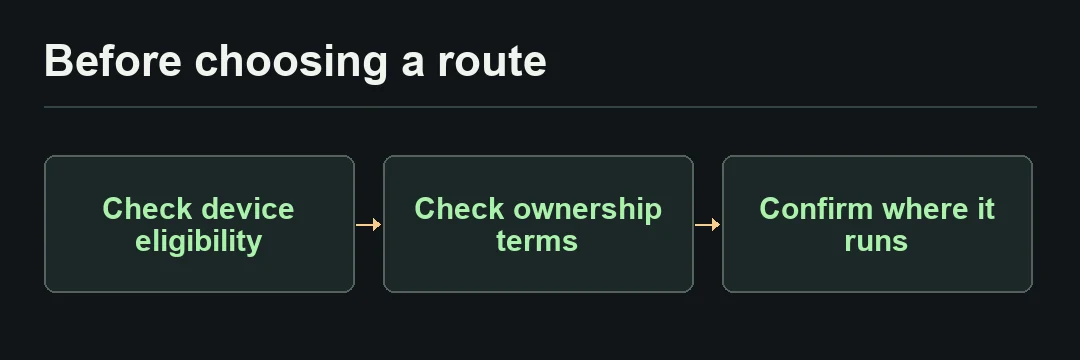
Ask who announced the route, where the game runs, and what machine or service you actually need. If an online clip claims it is captured on PC, check whether that refers to remote display or local execution. If a page offers a file, check the release verification instructions and safety guidance. For a new platform announcement, the official listing and a clear date carry the weight. A roadmap, fixture or compatible streaming client changes a narrower part of the picture.
Common questions
What changes if I already own a supported Xbox?
You can check the console store listing for native play and the published Remote Play instructions for a second screen. Confirm details of your account and region before purchasing a streaming plan.
Can any PC cloud client play GTA VI at launch?
The title-specific Xbox launch statement lists Xbox consoles. Broader platform availability for the cloud service does not show that this title is supported on a PC browser.
Should I follow a research project while waiting for Windows news?
Follow it if the component work is of interest to you. Read its run criteria and keep project reports separate from publisher release information. A project can improve diagnostics or shader translation without changing the official Windows release status.