
Blog ·
Can Every Xbox One Game Run on PC? No. What XWine1 Has Shown.
Read the six-title announcement in context, distinguish XWine1 from WinDurango and know what evidence to look for before trying a title.
XWine1 has published evidence for a limited set of Xbox One titles on Windows. The developers’ September 2024 introduction reported six fully playable games and others reaching earlier milestones. That snapshot does not establish broad compatibility or a current count for every supported title.
The original announcement and what it measured
The six-title figure comes from the developers’ early announcement. The described outcomes included fully playable titles, runs that reached logos, and others that entered the game. It does not name a universal standard for how many hours each title was tested, all hardware configurations or every known release of the same game. Treat the figure as a report of what the developers observed at that time.
This matters when a result is repeated in newer posts. A repost can preserve the six-title figure long after code and project goals have changed. A later demo can feature only a single updated component. Read the published date, exact title and build next to any claimed milestone. It is possible to keep the original historical count and still leave the current total unverified. A meaningful current compatibility catalog would expose exact game editions, tested revisions and the conditions under which a maintainer reproduced the result.
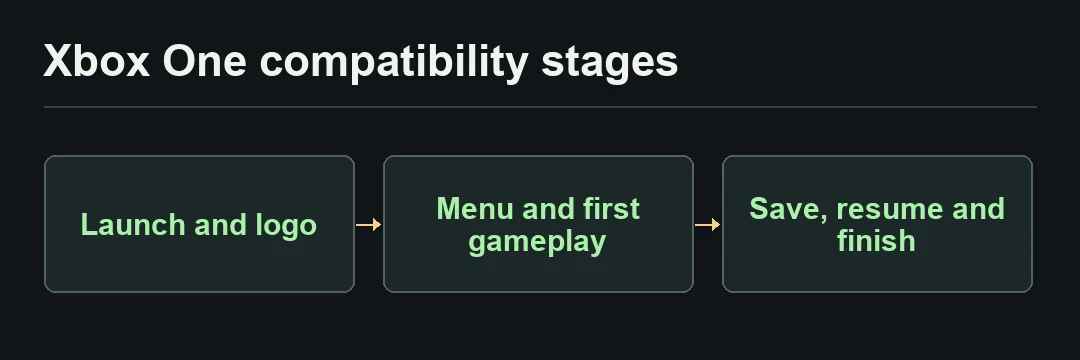
A video showing a title logo establishes only part of startup. A logo may be a static stage, an early graphics output or even an asset loaded before the main runtime. Audio, input and the real save system might be initialized after that point. If the test reaches gameplay, verify whether it handles controller input and progresses beyond the first control prompt. Saving and resuming can depend on persistent storage handling that the test has not reached yet.
What a Windows compatibility layer needs to provide
Windows and Xbox One both use x64 code, but matching instructions does not settle how an application asks its host to perform work. A game may expect a particular load sequence, library interface or data layout. The compatibility layer has to satisfy enough of these assumptions for the game’s actual call paths to run. That includes cases which are unavailable in a single demonstration, such as reconnecting a controller, resuming after saving or entering a second area that uses a different graphics effect.
Think of a small game launch sequence. The executable starts, looks up a user, sets up rendering and opens assets. It may create an asynchronous task whose result reaches the game in a specific order. If the order on the host differs, the game can hang regardless of whether the CPU has executed every instruction. A convincing compatibility report records the environment and links the relevant milestone to a particular change. This gives maintainers and testers a way to distinguish a systemic issue from a title-specific assumption.
The tasks also differ between offline and online portions of a game. A project can implement enough of a local storage path to reach a menu without supporting external services. Future title compatibility should be read with those limitations in mind. User-visible coverage is about the whole path from startup through the actions a player needs, such as creating a new game, saving and loading.
WinDurango has its own evidence and roadmap
WinDurango describes its own Xbox One compatibility-layer work and publishes source through its project repository. XWine1 demonstrations do not confer coverage on WinDurango. There can be similar goals and comparable runtime concepts while the implementation, libraries, configuration and current results differ.
If a post names both projects, check which one is the source for each claim. The presence of an old link may indicate a historical demonstration rather than the latest recommended build. An open repository and a Windows project file indicate public source. A release artifact and current build notes are separate evidence. A title-specific test list is another step again.
For graphics changes, look for notes about which API was exercised and what the title displayed. An update can add a previously unimplemented call without changing the number of games users can run. It can also fix a repeated crash that limits many titles. Counting commits or stars will not tell you which of these happened. Check the actual description and what tests were published as part of that change.
If you want to play a specific game today
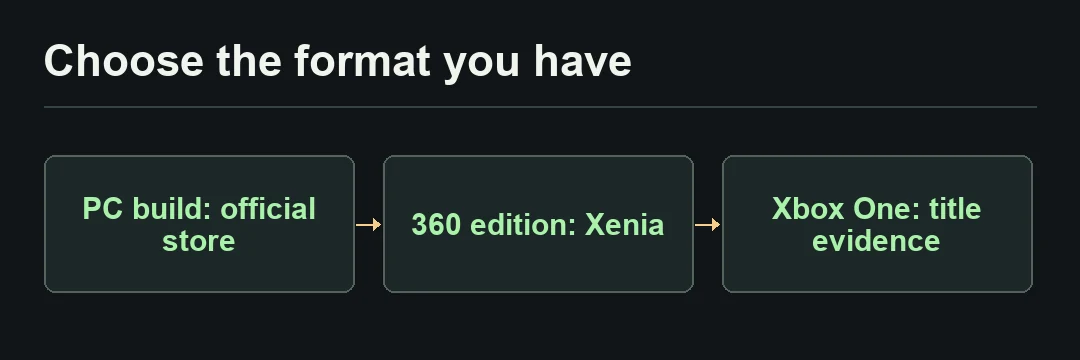
Start with the game, not the software project. Find the official platform listings for the exact edition you own. A Windows edition may be sold independently. If the publisher participates in Xbox Play Anywhere, the official listing describes eligible purchases and supported platforms. Verify that the same account owns the applicable digital entitlement. Shared naming across editions does not imply that a purchase works on both systems.
A franchise title released on both Xbox 360 and Xbox One may have a tested Xbox 360 version. Use the Xenia guide and check the title ID for that version. This avoids trying to load an Xbox One program into a 360 emulator. If you are looking for an original Xbox release, check xemu. Look for the publisher’s version notes when Windows and older Xbox releases have different content or save systems.
For an Xbox One-only game, read the project’s exact title evidence. A credible report should say which starting action the tester took, what screen or behavior appeared, which controls worked and how far gameplay progressed. It should preferably state whether there was an upstream release or a developer build. A screenshot of a menu on a test machine may be as far as the available evidence goes.
Look for evidence across more than one scene
A useful follow-up test records where the run started, what input was available and whether progress could be resumed after a restart. A second supported title can expose a runtime assumption the first one never tested. Even two successful runs are evidence about those games and revisions. Keep broader console coverage separate from the different features each demonstration observes.
GTA VI cloud support on Xbox One is a separate feature
GTA VI is a Series X|S and PlayStation 5 release. Xbox Wire also announced Xbox One as a supported client for cloud streaming the Xbox game under its service terms. An Xbox One can show the stream while the game executes remotely. This does not add a local Xbox One edition or put the game within the target of an Xbox One compatibility layer.
If you are evaluating console streaming, check the device and market lists for the specific game. A service might support the PC web player for many titles and still restrict individual titles to console clients. The GTA VI status tracker keeps native releases, cloud options and community project claims separate. The Xbox One guide is the place to check local compatibility research.
Common questions
Is six a current Xbox One compatibility count?
It is the developers’ reported number from their early announcement. For a current title decision, look for a recent result with the exact game, tested build, system and observed milestone.
Does a logo tell me that saving works?
No. The project may have implemented enough of startup to draw the logo. Saving and reloading exercise later behavior and should have separately documented results.
What if the same game also has a Windows build?
Check the publisher’s listing for the exact edition you want. A store may name a separate Windows release or an eligible shared entitlement. Comparing those options comes before choosing to test an Xbox One-specific compatibility route.